Introduction to Python and Microcontrollers
Blink (Built-in LED)
Blink the built-in LED on the ESP32-S3 WROOM. This is the “Hello World” of microcontroller programming.
New Concepts
- Thonny
- Python
- ESP32 Microcontroller
- Breadboard
Component List
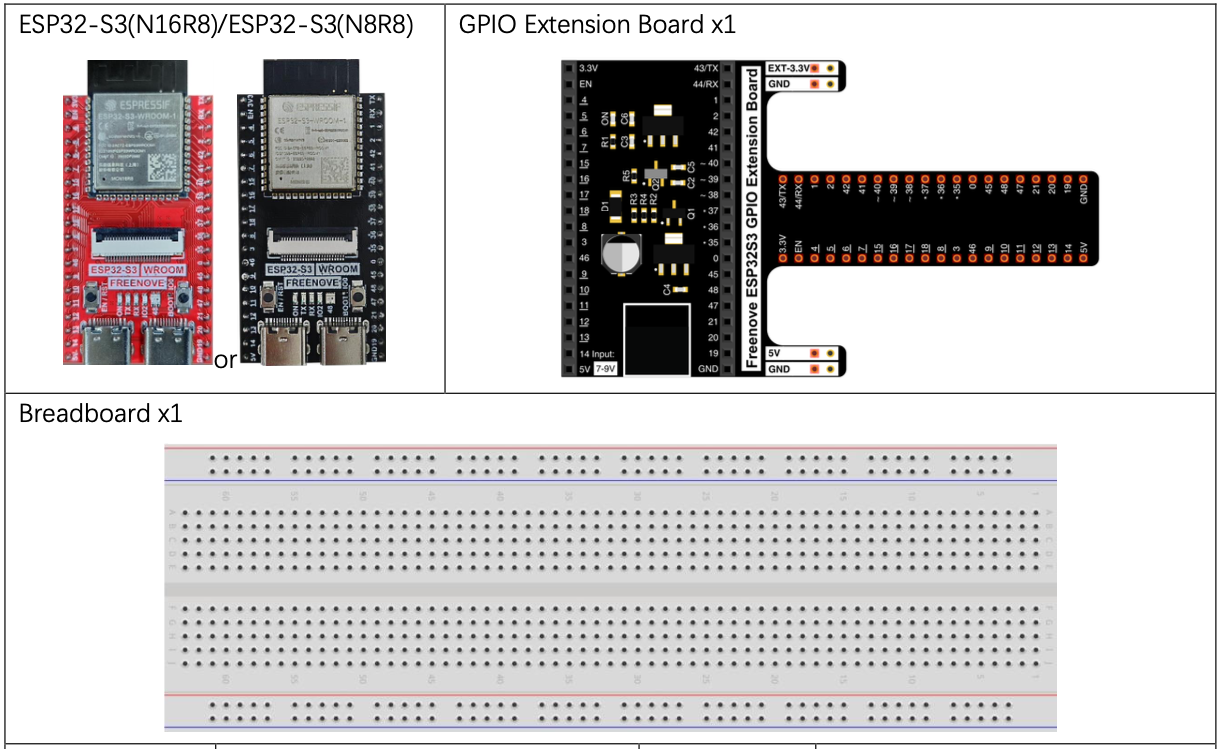
No external circuit required — this project is powered over USB and uses the LED built into the ESP32-S3 WROOM board (connected internally to GPIO2).
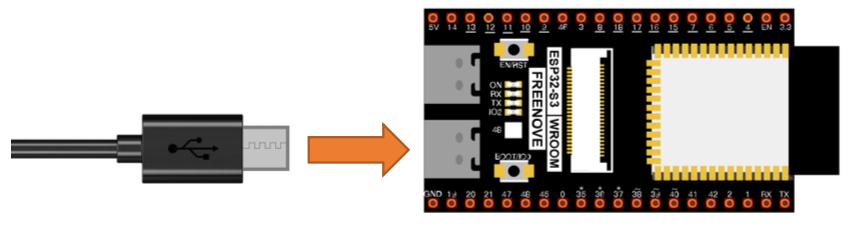
Code
File: 01_first_examples/code/Blink.py
from time import sleep_ms
from machine import Pin

led = Pin(2, Pin.OUT)  # create LED object from pin2, Set Pin2 to output

while True:
    led.value(1)    # Turn LED On
    sleep_ms(1000)
    led.value(0)    # Turn LED Off
    sleep_ms(1000)
How to Run
Online (while connected to PC)
- Open Thonny and navigate to
01_first_examples/code/. - Double-click
Blink.pyto open it. - Click Stop/Restart backend and wait for the connection to be confirmed.
- Click Run current script — the LED starts blinking.
If you disconnect the USB cable or press Reset, the code stops. Use offline mode to persist it.
Code Explanation
In plain language the code:
- Import the functions
sleep_msandPinused in this project - Setup GPIO Pin 2 as output and assign it to the led variable
- Loop forever
- Turn LED On
- Sleep for 1 second
- Turn LED Off
- Sleep for 1 second
# -- Setup --

# Import the functions `sleep_ms` and `Pin` used in this project
from time import sleep_ms
from machine import Pin

# Setup GPIO Pin 2 as output and assign it to the led variable
led = Pin(2, Pin.OUT)

# -- Program Loop --

# Loop forever
while True:
    led.value(1)    # Turn LED On
    sleep_ms(1000)  # Sleep for 1 second
    led.value(0)    # Turn LED Off
    sleep_ms(1000)  # Sleep for 1 second
DEFINITION - GPIO stands for **G**eneral **P**urpose **I**nput **O**utput. So this pin can either send out a signal, as in this case, or read in a signal, for example to read a button press.
Key Concepts
Pin(id, mode)— creates a GPIO object.Pin.OUTsets it as an output.led.value(0/1)— sets the pin LOW (0) or HIGH (1).sleep_ms(ms)— pauses execution for the given number of milliseconds.while True— infinite loop; runs forever until interrupted.- Python uses indentation (not braces) to define code blocks.
Further Exploration
Try the following:
- Make the LED flash very fast
- Can you make it flash so fast it looks like it is on all the time?
- Make the LED on time different than the off time.
Adapted from Python_Tutorial.pdf Project 1.1