Introduction to Python and Microcontrollers
7-Segment Display
Drive a single-digit 7-segment display through a 74HC595 shift register, cycling through hexadecimal characters 0–F.
New Concepts
- 7-segment displays
- Encoding characters as bit patterns
- Shift registers
7-Segment Display
A 7-segment display is 8 LEDs (segments A–G, plus a decimal point DP) arranged to form digits and some letters, sharing one common anode.
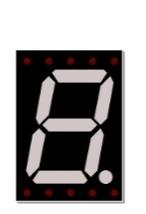
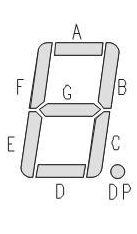
Turning specific segments ON (and leaving others OFF) draws a character — for example, “0” lights segments A–F and leaves G and DP off. Since this display is common anode, a segment turns ON when its pin is driven LOW, not HIGH.
Encoding characters as bit patterns
Treating segment A as the lowest bit and DP as the highest, each character maps to one byte, written as DP G F E D C B A. For example, “0” is segments A–F on, G and DP off → 1100 0000 → 0xC0.
| CHAR | Hex | CHAR | Hex | CHAR | Hex | CHAR | Hex |
|---|---|---|---|---|---|---|---|
| 0 | 0xc0 | 4 | 0x99 | 8 | 0x80 | C | 0xc6 |
| 1 | 0xf9 | 5 | 0x92 | 9 | 0x90 | D | 0xa1 |
| 2 | 0xa4 | 6 | 0x82 | A | 0x88 | E | 0x86 |
| 3 | 0xb0 | 7 | 0xf8 | B | 0x83 | F | 0x8e |
Shift registers
A shift register takes in serial input, stores it in a buffer then outputs it as parallel output.
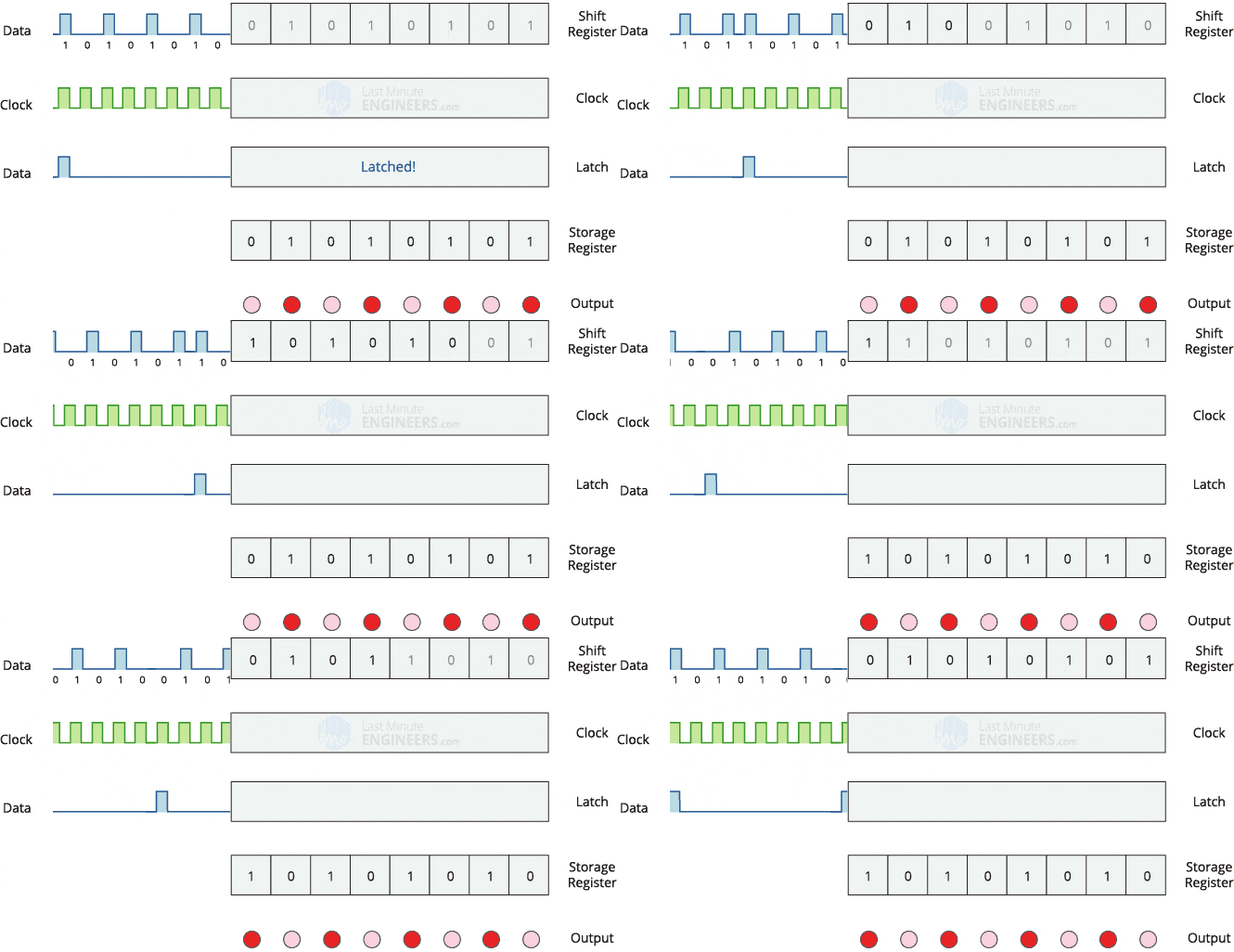
For serial input data is fed in one bit at a time using a single wire. For Parallel output all 8 bits are output at once using 8 wires. That allows the microcontroler to only use 3 pins to drive 8 outputs. Those pins are used for: data, clock and trigger.
For more information see the reference documentation for the 74HC595 shift register.
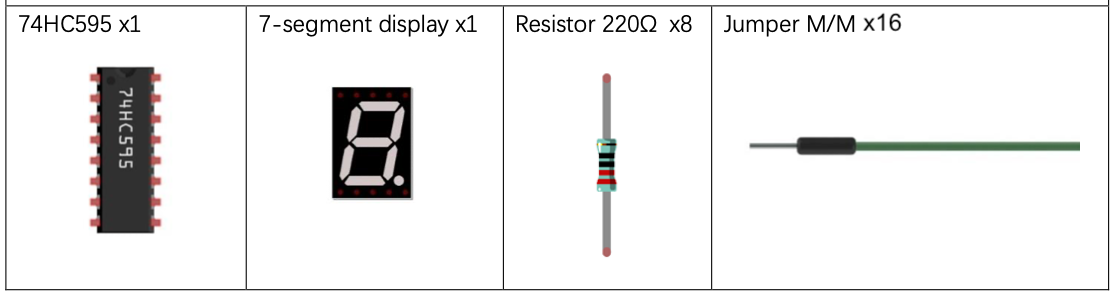
Component List
Circuit
Wiring Diagram
Disconnect all power before building the circuit. Reconnect once verified.
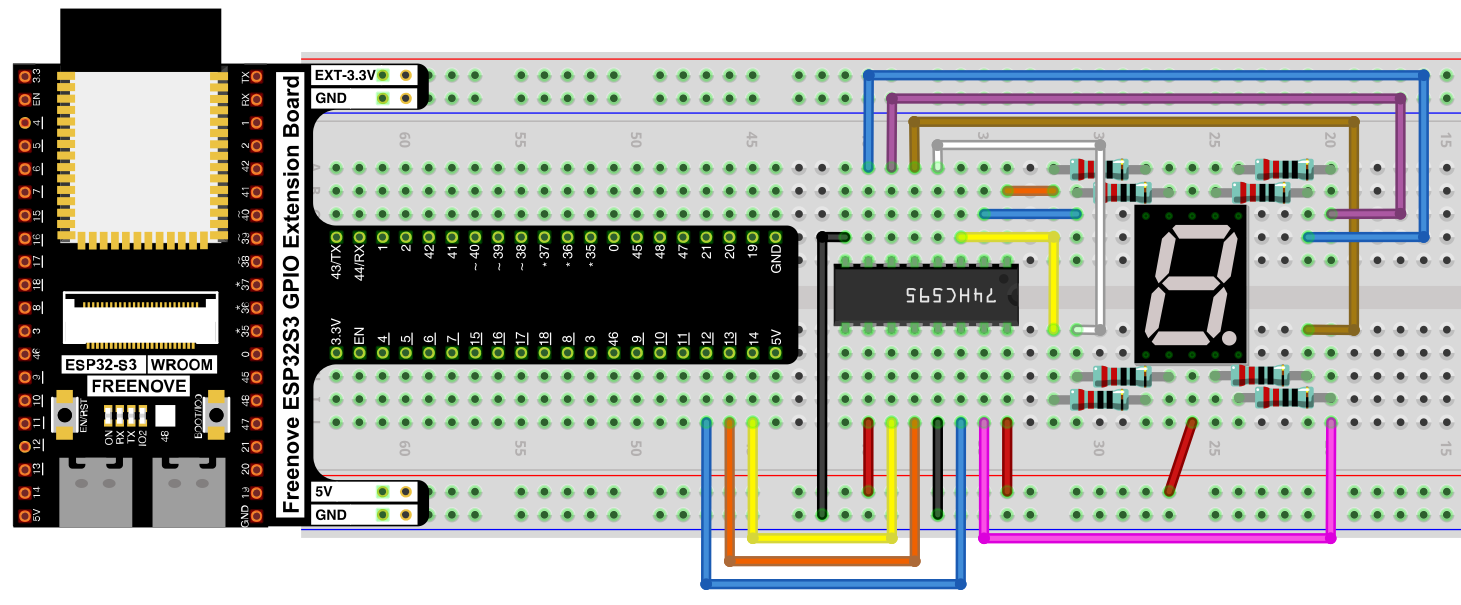
Connections:
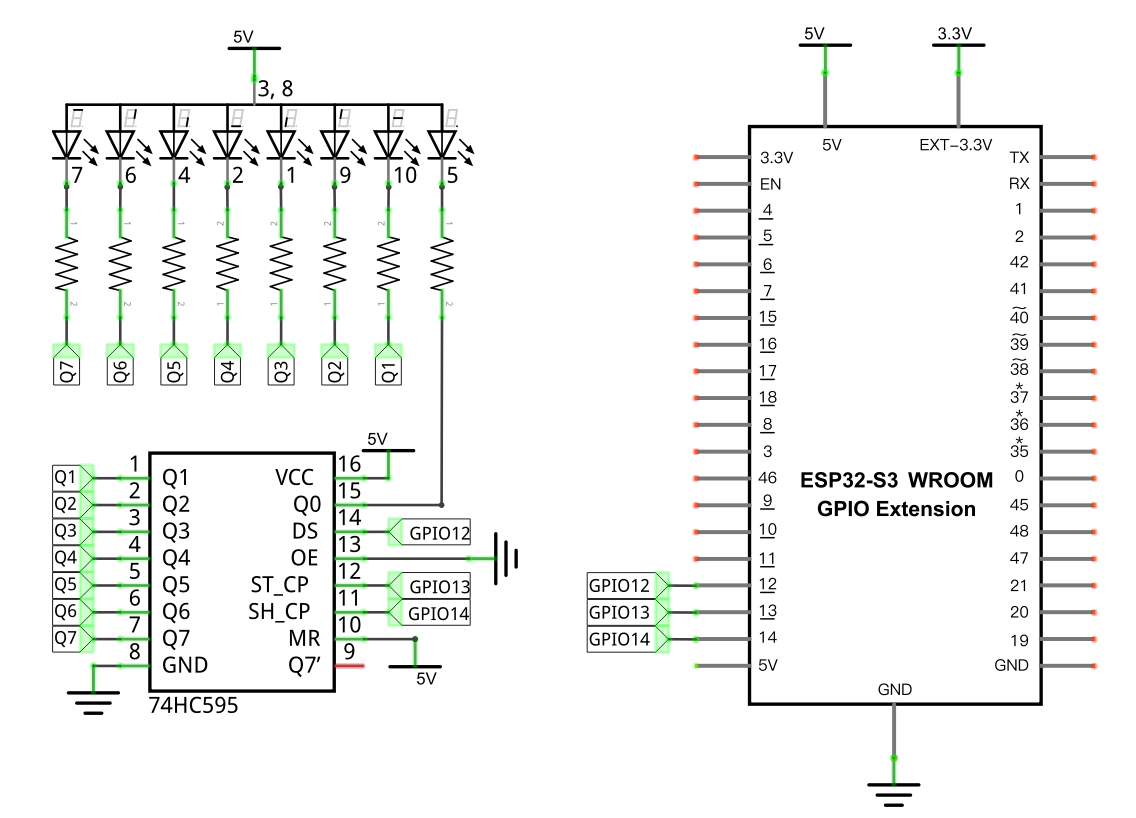
- 74HC595 DS → GPIO12, ST_CP → GPIO13, SH_CP → GPIO14
- Each 74HC595 output (Q0–Q7) → its own 220Ω resistor → one segment of the display
Schematic Diagram
Code
File: 04_output/code/74HC595_and_7_segment_display.py
Module: 04_output/code/my74HC595.py
import time
from my74HC595 import Chip74HC595

lists =[0xc0, 0xf9, 0xa4, 0xb0, 0x99, 0x92, 0x82, 0xf8,
        0x80, 0x90, 0x88, 0x83, 0xc6, 0xa1, 0x86, 0x8e]

chip = Chip74HC595(12,13,14)
try:
    while True:
        for count in range(16):
            chip.shiftOut(0,lists[count])
            time.sleep_ms(500)
except:
    pass
How to Run
Online
- Open Thonny →
04_output/code/. - Right-click
my74HC595.py→ Upload to / — wait for it to finish uploading to the ESP32-S3. - Double-click
74HC595_and_7_segment_display.py. - Click Run current script — the display cycles through
0123456789ABCDEF, half a second per character.
Code Explanation
Encode every character
lists =[0xc0, 0xf9, 0xa4, 0xb0, 0x99, 0x92, 0x82, 0xf8,
        0x80, 0x90, 0x88, 0x83, 0xc6, 0xa1, 0x86, 0x8e]
Each entry is the segment bit-pattern for one hex digit, looked up from the table above.
Send a character to the display
chip = Chip74HC595(12,13,14)
...
chip.shiftOut(0,lists[count])
shiftOut() pushes one byte’s worth of bits out through the shift register, which then holds all 8 outputs steady until the next call — lighting whichever segments correspond to that byte’s 0 bits (since the display is common-anode).
Key Concepts
- Common anode displays: segments light up on LOW, the opposite of common-cathode parts
- Bit-pattern encoding: representing a visual character as a single byte, where each bit controls one segment
- Reusing a driver across projects: the same
Chip74HC595class that drives LED arrays works unchanged here — only the data being shifted out has new meaning
See Class Chip74HC595 for the full API reference.
Further Exploration
- Modify the list to have it start with all segments off and light up one segment at a time until they are all lit.
- Come up with your own animation by changing the entries in the list.
- Modify the loop to turn on every combination of segments.
Adapted from Python_Tutorial.pdf Project 15.1