Introduction to Python and Microcontrollers
LCD1602 Display
Display static text and a live-updating counter on an LCD1602 character display, controlled over I2C.
New Concepts
- Character LCD displays
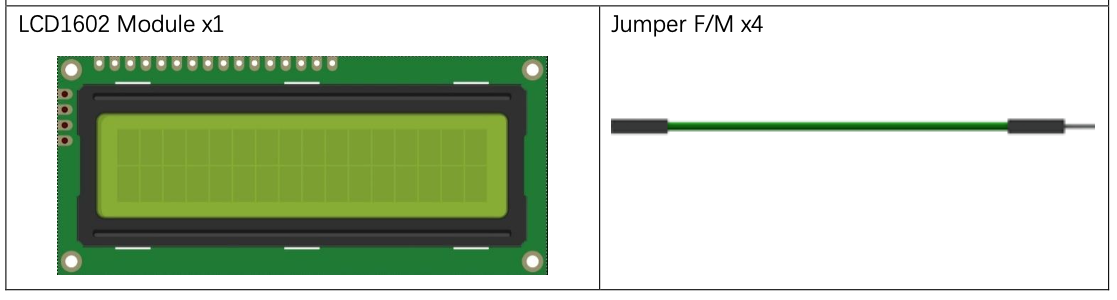
LCD1602
The LCD1602 displays 2 rows of 16 characters — letters, numbers, symbols, and ASCII text.
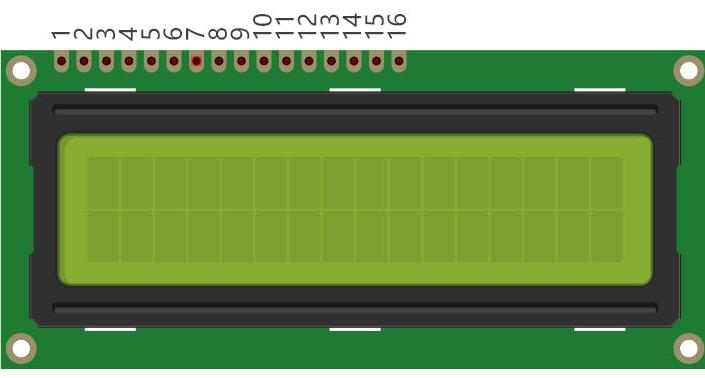
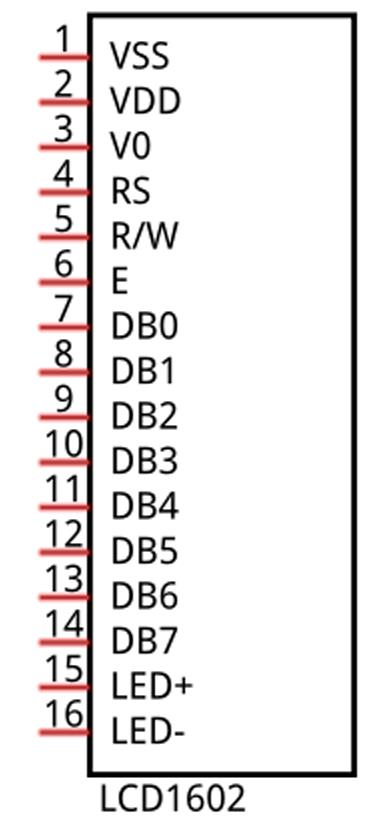
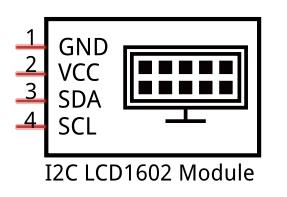
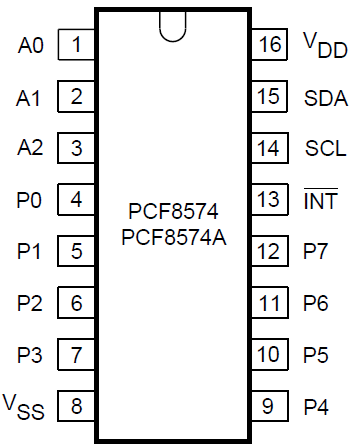
Driven directly, the LCD1602 needs many pins. This kit’s module adds a PCF8574 I2C-to-parallel backpack, converting those many parallel pins down to just SDA/SCL — its default address is 0x27 (or 0x3F on the PCF8574A variant).
Component List
Circuit
Wiring Diagram
Disconnect all power before building the circuit. Reconnect once verified.
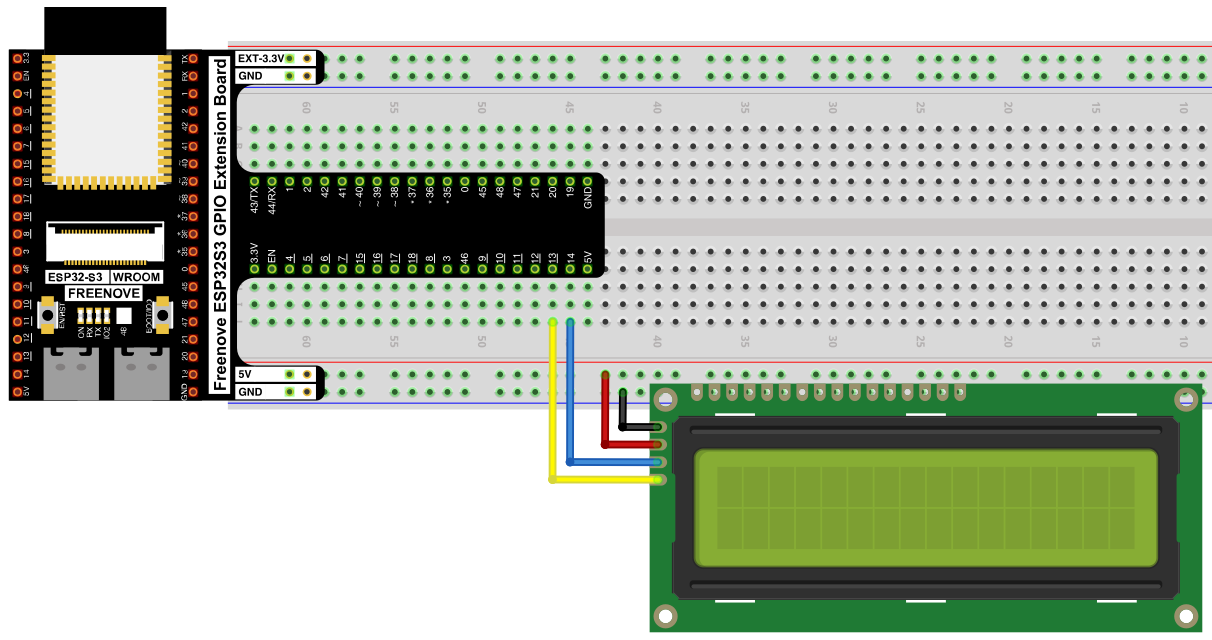
Connections:
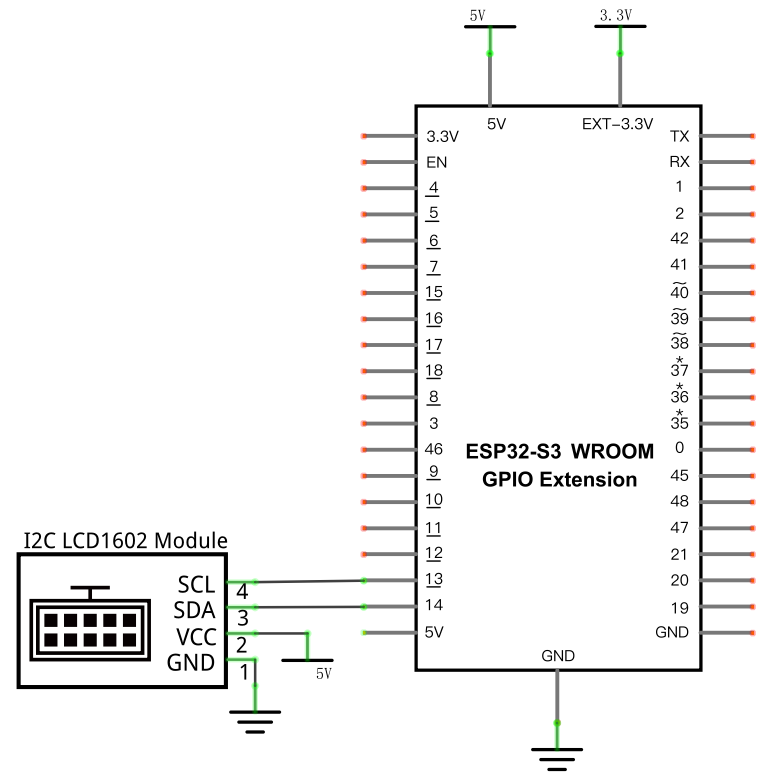
- LCD1602 SCL → GPIO13
- LCD1602 SDA → GPIO14
- LCD1602 VCC → 5V
- LCD1602 GND → GND
Schematic Diagram
Code
File: 04_output/code/IIC_LCD1602.py
Modules: 04_output/code/I2C_LCD.py, 04_output/code/LCD_API.py
import time
from machine import I2C, Pin
from I2C_LCD import I2cLcd

i2c = I2C(scl=Pin(13), sda=Pin(14), freq=400000)
devices = i2c.scan()
if len(devices) == 0:
    print("No i2c device !")
else:
    for device in devices:
        print("I2C addr: "+hex(device))
        lcd = I2cLcd(i2c, device, 2, 16)

try:
    lcd.move_to(0, 0)
    lcd.putstr("Hello,world!")
    count = 0
    while True:
        lcd.move_to(0, 1)
        lcd.putstr("Counter:%d" %(count))
        time.sleep_ms(1000)
        count += 1
except:
    pass
How to Run
Online
- Open Thonny →
04_output/code/. - Right-click
I2C_LCD.pyandLCD_API.py→ Upload to / — wait for both to finish uploading. - Double-click
IIC_LCD1602.py. - Click Run current script — “Hello,world!” appears on row 1, and a counter increments on row 2 once per second.
Code Explanation
Scan the I2C bus
i2c = I2C(scl=Pin(13), sda=Pin(14), freq=400000)
devices = i2c.scan()
scan() checks every possible address and returns a list of devices that respond — useful since the LCD’s I2C address depends on which backpack chip variant it uses (0x27 vs 0x3F).
Create the LCD object
for device in devices:
    print("I2C addr: "+hex(device))
    lcd = I2cLcd(i2c, device, 2, 16)
Builds an I2cLcd for whichever address was found, configured for 2 rows × 16 columns.
Position the cursor and write text
lcd.move_to(0, 0)
lcd.putstr("Hello,world!")
move_to(column, row) positions the cursor (0-indexed); putstr() then writes a string starting there.
Update one line repeatedly
while True:
    lcd.move_to(0, 1)
    lcd.putstr("Counter:%d" %(count))
    time.sleep_ms(1000)
    count += 1
Moving back to the start of row 2 each loop and overwriting it lets the counter update in place rather than scrolling the screen.
Key Concepts
- I2C bus scanning:
i2c.scan()discovers devices and their addresses without hardcoding them - I2C-to-parallel backpacks: chips like the PCF8574 let an otherwise pin-hungry display (LCD1602 normally needs ~16 pins) run over just 2 wires
- Cursor-addressed displays:
move_to()+putstr()is the basic pattern for placing text anywhere on the screen
See Class I2cLcd for the full API reference.
Further Exploration
- Display your own text on the screen. What happens if the text is too long to fit on the screen?
- Make the text scroll
Adapted from Python_Tutorial.pdf Project 20.1