Introduction to Python and Microcontrollers
Stepper Motor
Drive a 4-phase stepper motor through a ULN2003 driver board, rotating it one full turn clockwise, then one full turn counter-clockwise, on a continuous loop.
New Concepts
- Stepper motors
- ULN2003 Stepper motor driver
- Open-loop control circuit
Stepper Motor
Unlike a DC motor, which just spins as fast as its voltage allows, a stepper motor moves in discrete, precise increments (“steps”) — and its position depends only on how many pulses it’s been sent, not on load (within its torque limits).
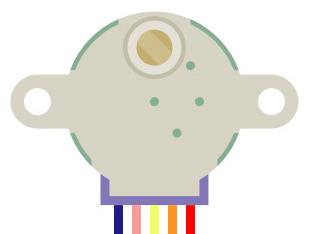
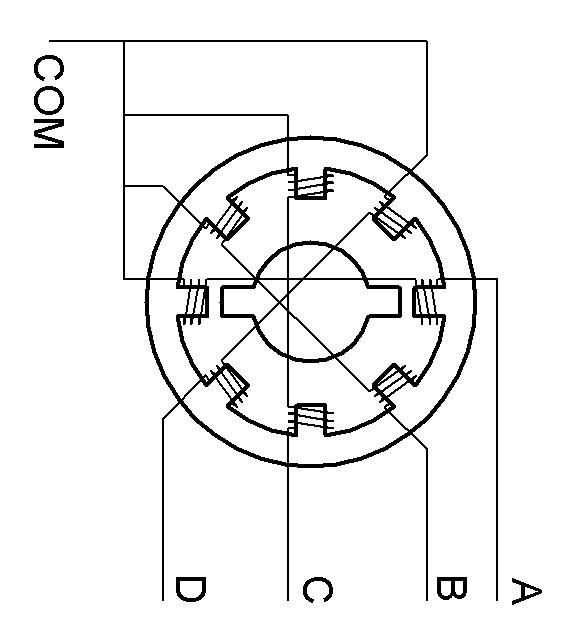
Inside, the stator has coils arranged in 4 phases (A, B, C, D). Energizing them in sequence — A→B→C→D→A→… — pulls the rotor around one step at a time; reversing the sequence reverses the direction. This kit’s motor has 32 magnetic poles (32 steps per revolution at the rotor), geared down 1:64 — so the output shaft needs 32 × 64 = 2048 steps for one full revolution.
ULN2003 Driver
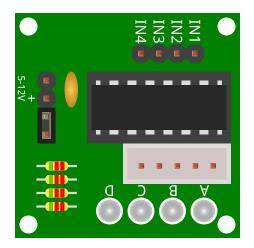
A stepper motor’s coils need more current than a GPIO pin can supply directly. The ULN2003 board sits between the ESP32-S3 and the motor, amplifying 4 weak digital signals (IN1–IN4) into the stronger signals (A–D) needed to energize each coil — with 4 onboard LEDs showing which phase is currently active.
Open Loop control circuit
A stepper motor uses an open loop position control circuit. Open loop control circuits do not have any feedback so the stepper motor doesn’t know if it didn’t move because something is blocking it’s movement.
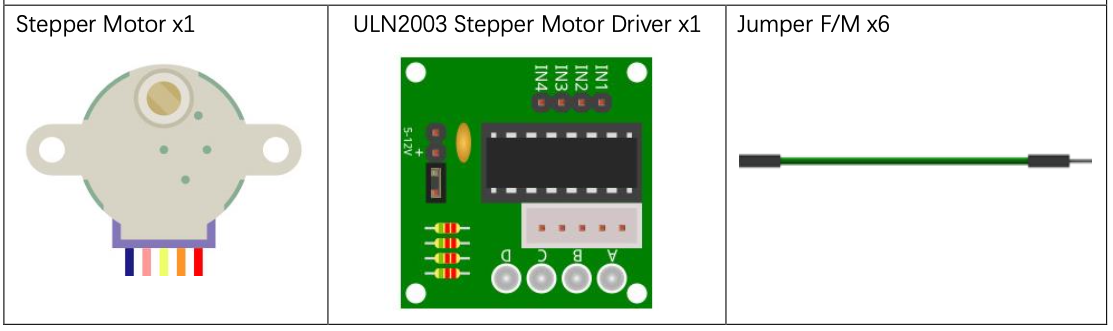
Component List
Circuit
The stepper motor runs on 5V — power the breadboard independently and share ground with the ESP32-S3.
Wiring Diagram
Disconnect all power before building the circuit. Reconnect once verified.
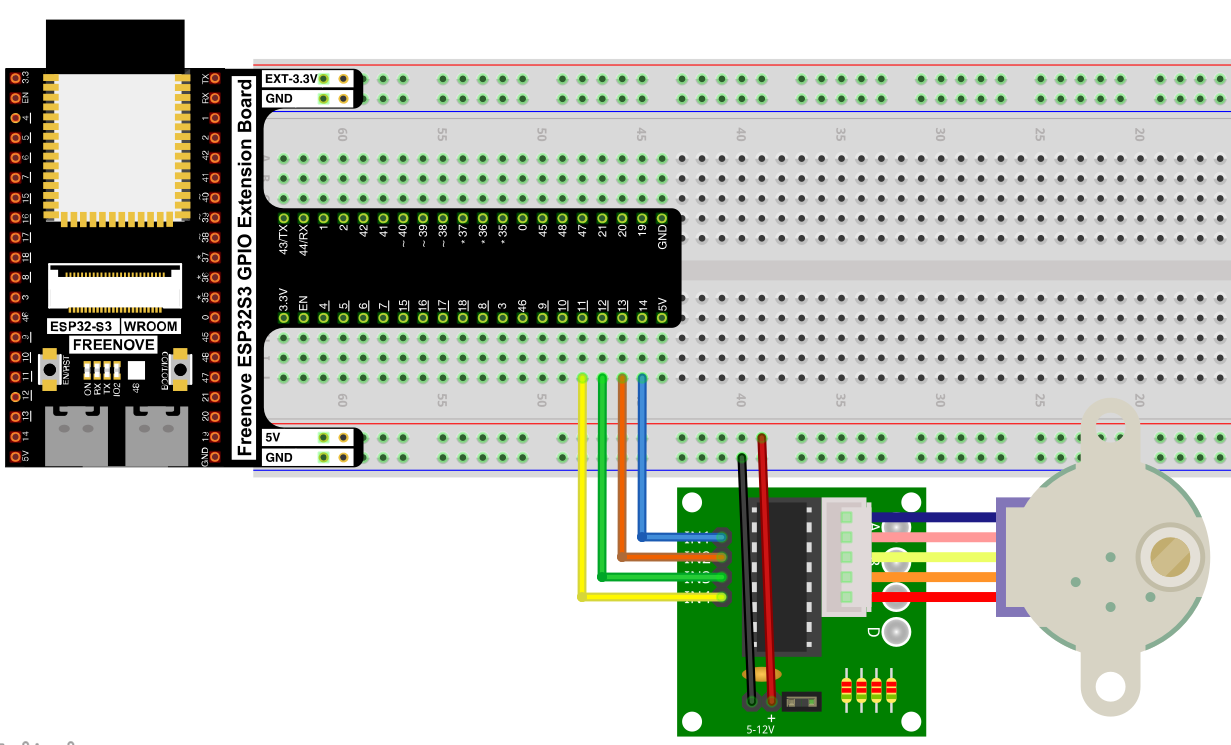
Connections:
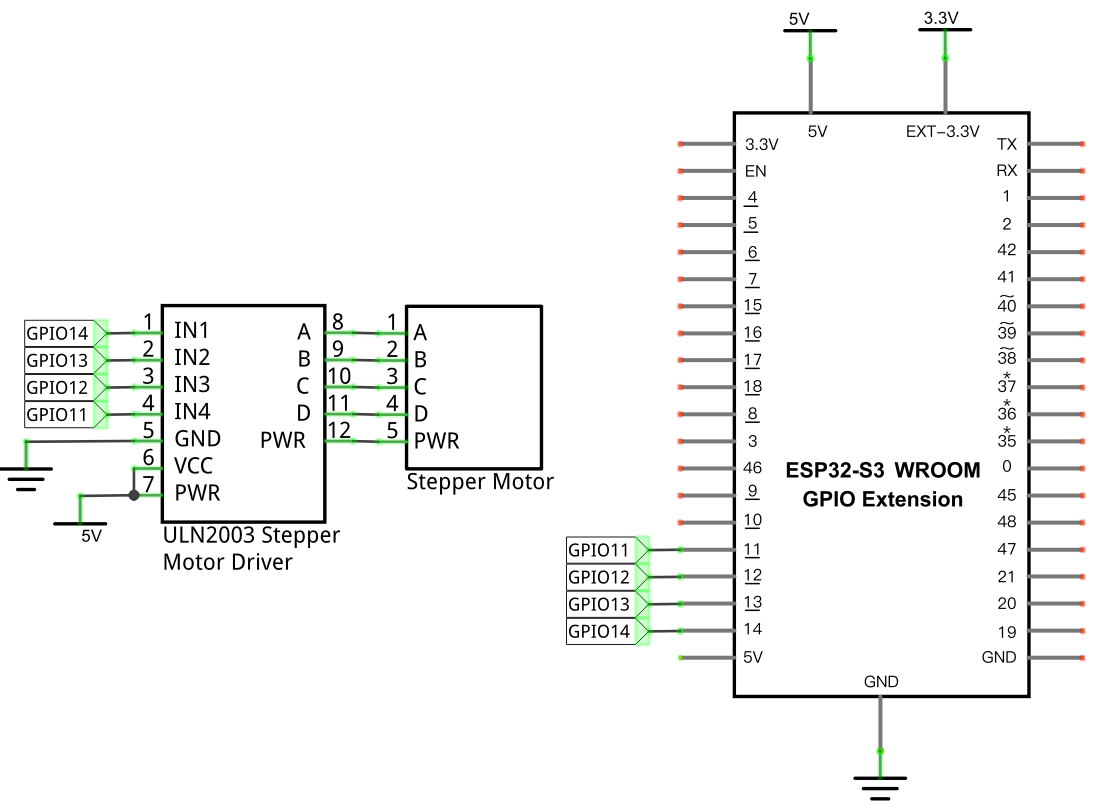
- ULN2003 IN1–IN4 → GPIO14, GPIO13, GPIO12, GPIO11
- ULN2003 A–D → Stepper Motor A–D
- ULN2003 PWR/VCC → 5V, GND → GND
Schematic Diagram
Code
File: 04_output/code/Stepping_Motor.py
Module: 04_output/code/stepmotor.py
from stepmotor import mystepmotor
import time

myStepMotor=mystepmotor(14,13,12,11)

try:
    while True:
        myStepMotor.moveSteps(1,32*64,2000)
        myStepMotor.stop()
        time.sleep_ms(1000)
        myStepMotor.moveSteps(0,32*64,2000)
        myStepMotor.stop()
        time.sleep_ms(1000)
except:
    pass
How to Run
Online
- Open Thonny →
04_output/code/. - Right-click
stepmotor.py→ Upload to / — wait for it to finish uploading to the ESP32-S3. - Double-click
Stepping_Motor.py. - Click Run current script — the motor rotates one full turn clockwise, pauses, then one full turn counter-clockwise, repeatedly.
Code Explanation
Create the stepper object
myStepMotor=mystepmotor(14,13,12,11)
Associates the 4 phase-control pins (A, B, C, D) with GPIO14, 13, 12, and 11.
Rotate a fixed number of steps
myStepMotor.moveSteps(1,32*64,2000)
myStepMotor.stop()
moveSteps(direction, steps, us) energizes the coils in sequence for the given number of steps, pausing us microseconds between each — 32*64 steps is exactly one full revolution of the output shaft. stop() de-energizes all coils afterward so the motor doesn’t keep drawing current while idle.
Reverse and repeat
myStepMotor.moveSteps(0,32*64,2000)
Calling moveSteps() with direction=0 instead of 1 reverses the coil-energizing sequence, spinning the shaft the opposite way.
Key Concepts
- Open-loop stepping: the motor’s final position is just “how many steps, in which direction” — no sensor feedback is needed, unlike a servo
- Phase sequencing: rotating a motor is really just energizing electromagnets in a specific order; reversing that order reverses the direction
- Gear reduction: a small number of physical motor poles (32) becomes a much larger number of effective steps (2048) once gearing is factored in — useful for fine positional control
See class mystepmotor for the full API reference (the reference document for this chapter’s mystepmotor class is filed there).
Further Exploration
- Use
moveAngle()to rotate to a specific angle instead of a full revolution. - Speed up or slow down rotation by changing the
usdelay between steps — notice how too short a delay can cause the motor to skip steps or stall.
Adapted from Python_Tutorial.pdf Project 19.1