Introduction to Python and Microcontrollers
Breathing LED
Fade an LED smoothly from off to on and back again, like breathing, instead of just switching it fully on or off. Introduces PWM (Pulse-Width Modulation) — the technique used to make a digital pin behave like an analog output.
New Concepts
- Analog vs. digital signals
- PWM (Pulse-Width Modulation)
forloops
Analog & Digital
An analog signal is continuous in both time and value — like temperature changing smoothly throughout the day. A digital signal only ever holds discrete values (1s and 0s), and can change instantly between them. Both can be converted into the other.
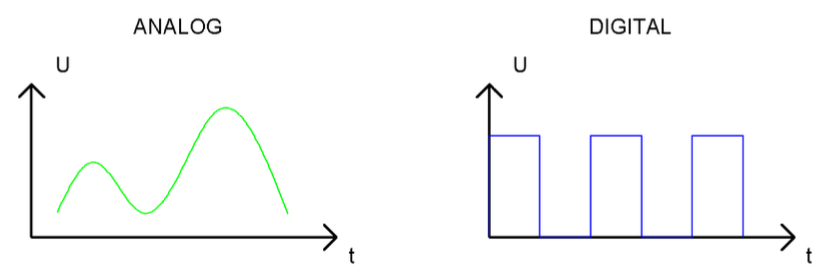
PWM
Microcontroller pins can only output fully HIGH or fully LOW — they can’t output a true analog voltage. PWM fakes an analog output by switching a pin HIGH and LOW very quickly. The duty cycle is the percentage of each cycle (period) spent HIGH. A longer duty cycle behaves like a higher average voltage; a shorter one behaves like a lower voltage.
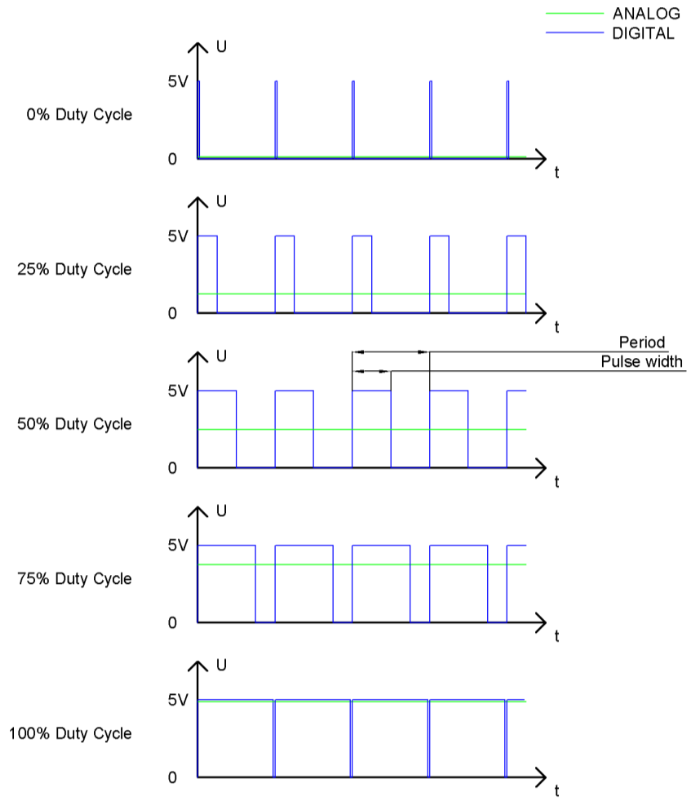
The longer the duty cycle, the higher the effective brightness of an LED driven by that pin.
On the ESP32-S3, the PWM (LEDC) controller has 8 channels, each independently configurable for frequency, duty cycle, and resolution.
for Loops
A for loop runs the code inside of it multiple times. e.g. These two code snippets produce the same output:
print(0)
print(1)
print(2)
for i in range(0, 3):
    print(i)
The for loop defines a variable i and that variable will be assigned a different value before each iteration of the loop as defined by the range. In this case range is telling python the first value for i is 0, the last value is 2 and increase the value by one before it starts running the code contained in the loop.
Component List
Same components as 02_blink_external_led.md.
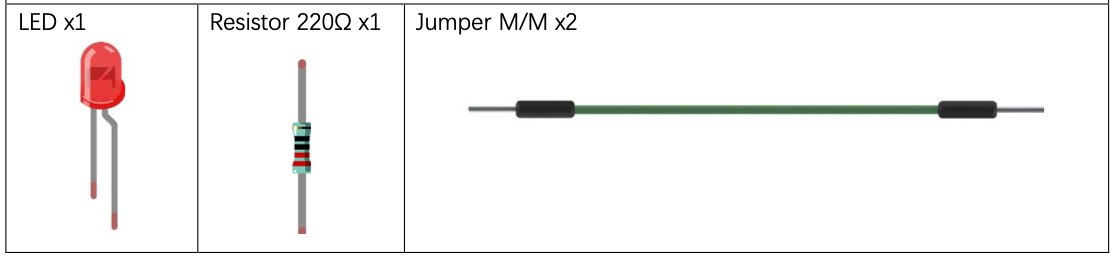
Circuit
NOTE: If you have the circuit setup for 03 Button and LED you can leave the button connected for this project.
Wiring Diagram
Disconnect all power before building the circuit. Reconnect once verified.
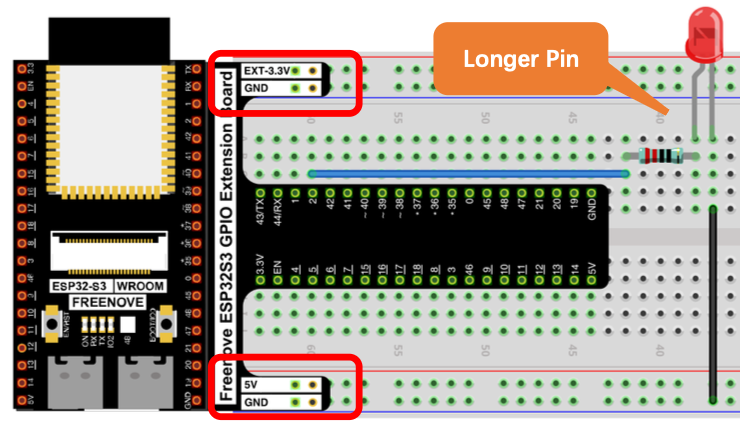
Schematic Diagram
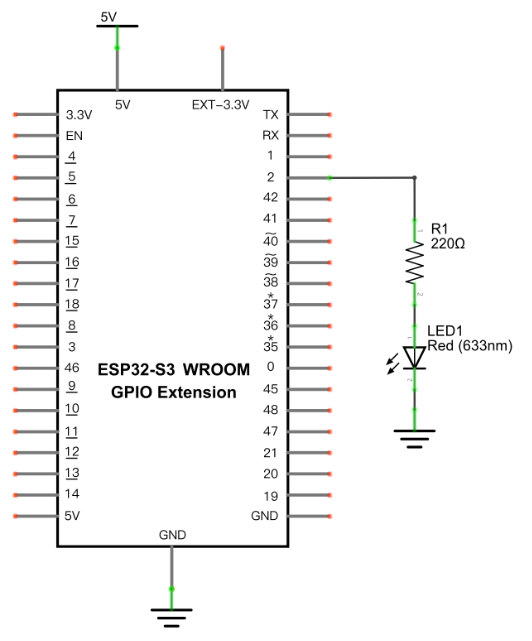
Connections:
- LED anode → 220Ω resistor → GPIO2
- LED cathode → GND
Code
File: 01_first_examples/code/BreatheLight.py
from machine import Pin,PWM
import time

pwm =PWM(Pin(2),10000)
try:
    while True:
        for i in range(0,1023):
            pwm.duty(i)
            time.sleep_ms(1)

        for i in range(0,1023):
            pwm.duty(1023-i)
            time.sleep_ms(1)
except:
    pwm.deinit()
How to Run
Online
- Open Thonny →
01_first_examples/code/. - Double-click
BreatheLight.py. - Click Run current script — the LED fades from off to on, then back to off, like breathing.
Code Explanation
Initialize PWM
Creates a PWM object on GPIO2 with a frequency of 10,000Hz.
pwm = PWM(Pin(2), 10000)
Fade up, then fade down
Duty cycle ranges from 0–1023. The first loop ramps the duty cycle up (0% → 100% brightness); the second ramps it back down (100% → 0%).
for i in range(0, 1023):
    pwm.duty(i)          # increase brightness
    time.sleep_ms(1)

for i in range(0, 1023):
    pwm.duty(1023 - i)    # decrease brightness
    time.sleep_ms(1)
Deinitialize PWM
Using PWM turns on a hardware timer behind the scenes. deinit() turns that timer off — skipping it can cause PWM to fail on the next run.
except:
    pwm.deinit()
Key Concepts
- PWM (Pulse-Width Modulation): simulates an analog output by rapidly switching a digital pin HIGH/LOW
- Duty cycle: percentage of each cycle spent HIGH; controls effective brightness/voltage (range 0–1023 on ESP32-S3)
pwm.duty(value): sets the duty cyclepwm.deinit(): releases the hardware timer used by PWM — always call this when done
Further Exploration
- Modify the code so the LED takes longer to get get brighter than it takes to dim.
- Change the PWM frequency (10000) — can slow it down enough to be visible?
- If you left the button connected from project 3 does the button work? Why or why not?
Adapted from Python_Tutorial.pdf Project 4.1