Introduction to Python and Microcontrollers
Servo Knob
Control a servo’s angle directly with a potentiometer — turn the knob, the servo follows.
New Concepts
- Mapping a sensor reading directly onto a physical position
Component List
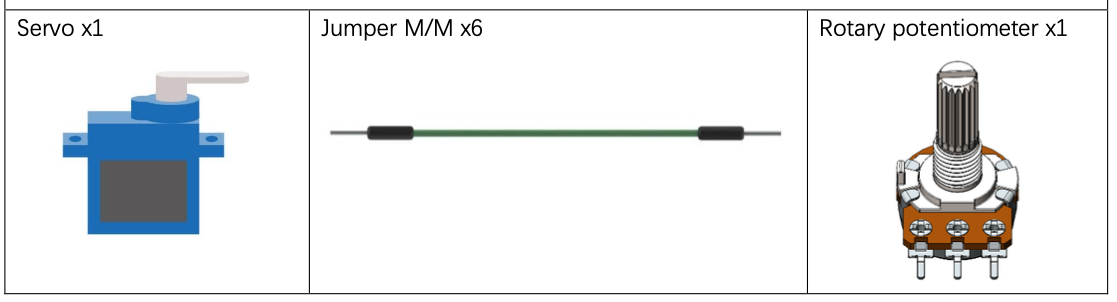
Circuit
Servos need a clean 5V supply — double-check polarity before connecting power.
Wiring Diagram
Disconnect all power before building the circuit. Reconnect once verified.
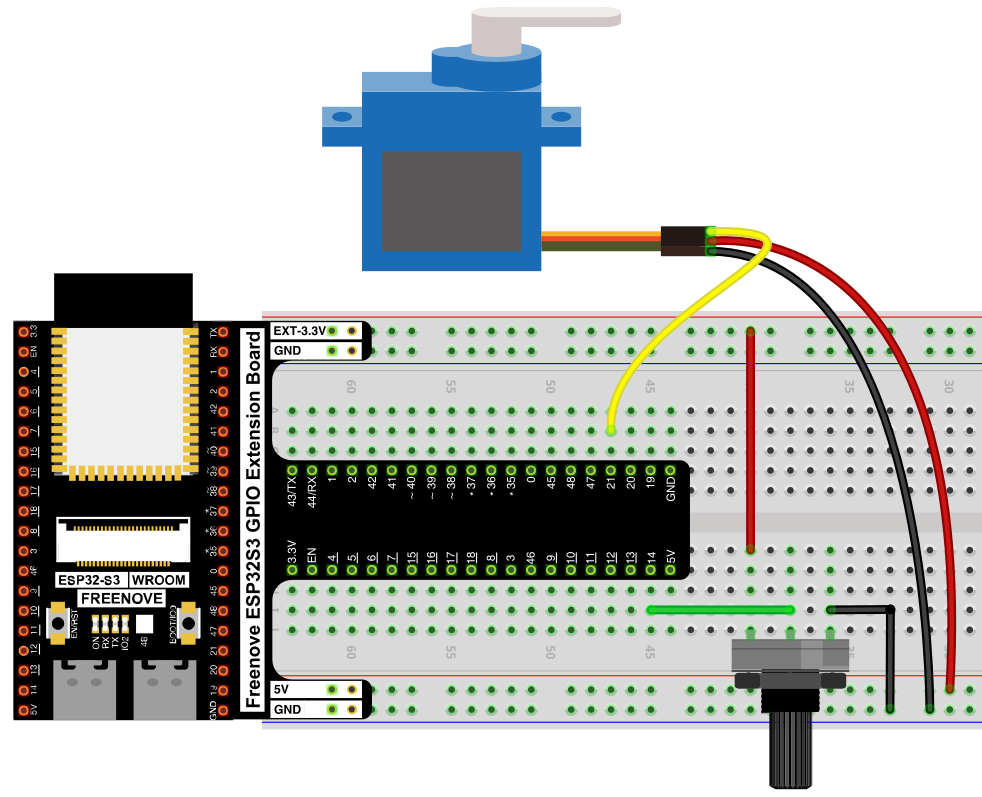
Connections:
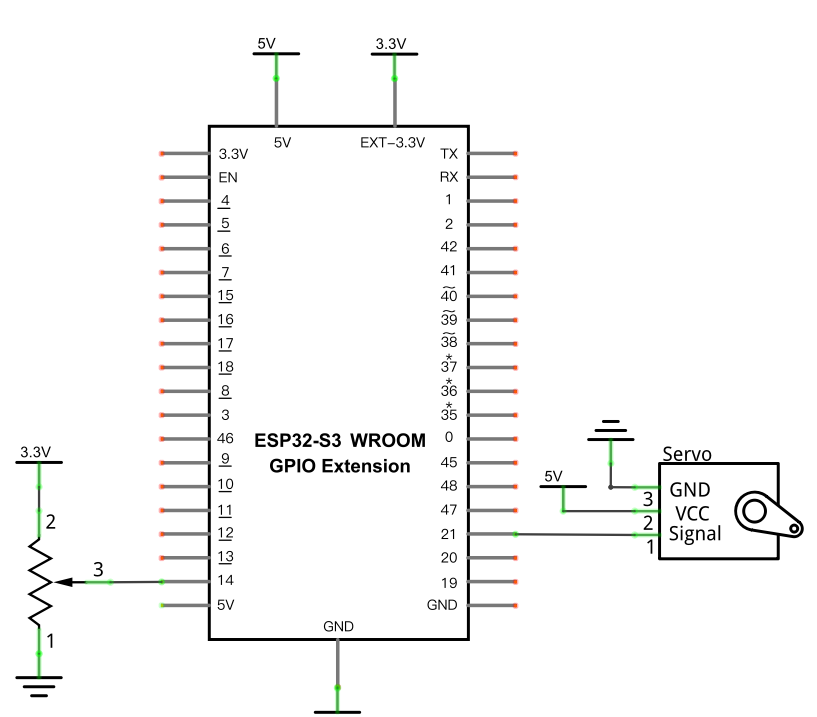
- Servo Signal → GPIO21, VCC → 5V, GND → GND
- Potentiometer wiper → GPIO14 (ADC)
Schematic Diagram
Code
File: 04_output/code/Servo_Knop.py
Module: 04_output/code/myservo.py
from myservo import myServo
from machine import ADC,Pin
import time

servo=myServo(21)

adc=ADC(Pin(14))
adc.atten(ADC.ATTN_11DB)
adc.width(ADC.WIDTH_12BIT)

try:
    while True:
        adcValue=adc.read()
        angle=(adcValue*180)/4096
        servo.myServoWriteAngle(int(angle))
        time.sleep_ms(50)
except:
    adc.deinit()
    servo.deinit()
How to Run
Online
- Open Thonny →
04_output/code/. - Right-click
myservo.py→ Upload to / if it isn’t already on the device. - Double-click
Servo_Knop.py. - Click Run current script. Turn the potentiometer — the servo rotates to match its position.
Code Explanation
Scale the ADC range onto the servo’s angle range
adcValue=adc.read()
angle=(adcValue*180)/4096
servo.myServoWriteAngle(int(angle))
The ADC returns 0–4095 (12-bit); multiplying by 180 and dividing by 4096 rescales that range onto 0–180°, the servo’s full range of motion — the same range-remapping idea as Soft Light’s remap(), just written inline as one expression instead of a separate function.
Key Concepts
- Direct sensor-to-actuator mapping: reading an analog input and immediately driving an output proportionally is one of the most common patterns across this whole kit — same shape as Soft Light and Night Lamp, just with a servo angle instead of LED brightness
- Inline range scaling:
(value * newRange) / oldRangeis a quick way to rescale a number without writing a fullremap()function, when one of the ranges starts at 0
See class myServo for the full API reference.
Further Exploration
- Add smoothing (e.g. only update the servo if the angle changed by more than 2°) to reduce jitter from ADC noise.
- Swap the potentiometer for the Joystick’s X or Y axis to control the servo with a stick instead of a knob.
Adapted from Python_Tutorial.pdf Project 18.2